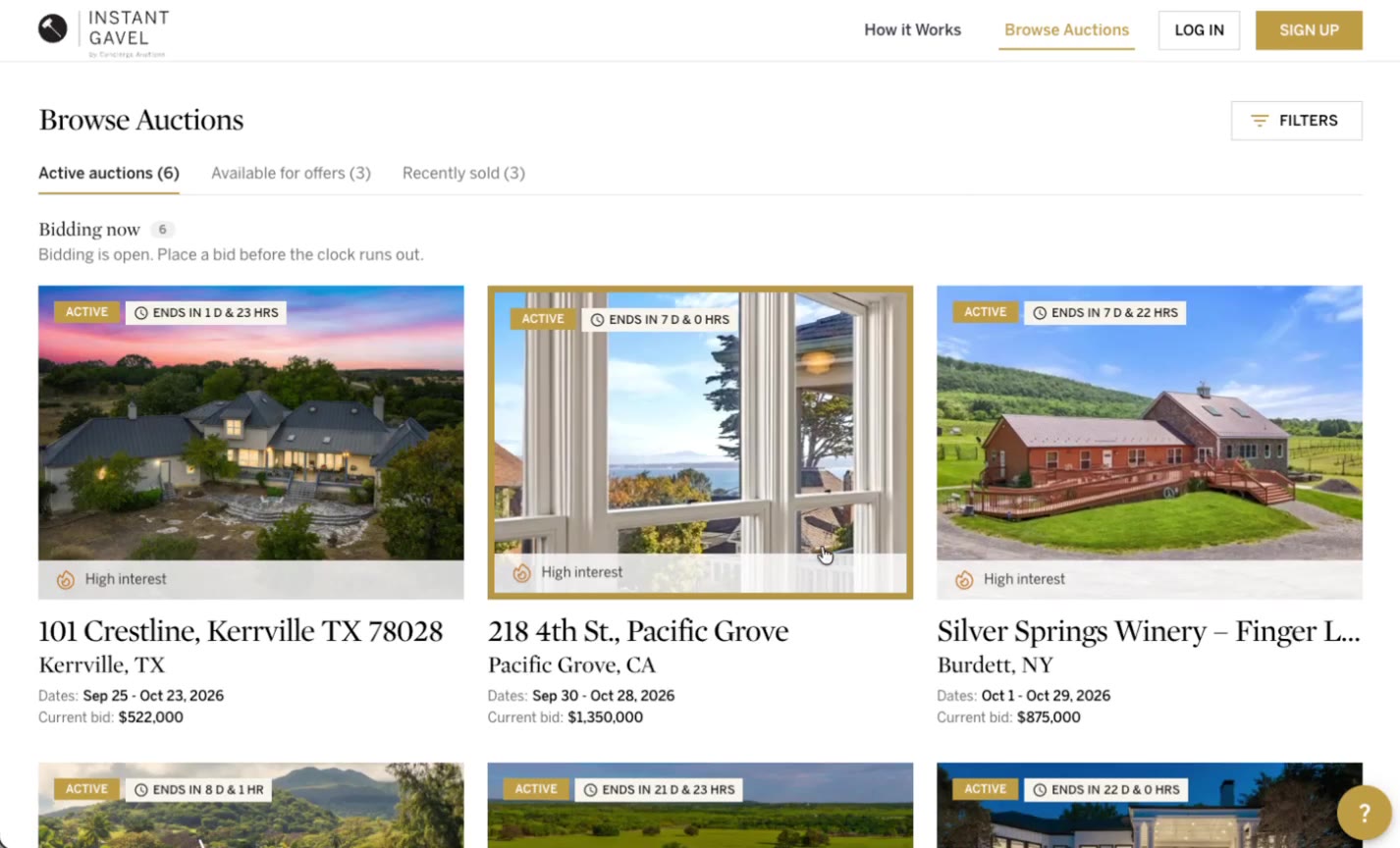
Find the auction you want to bid on
From Browse Auctions, click the property you want to bid on.
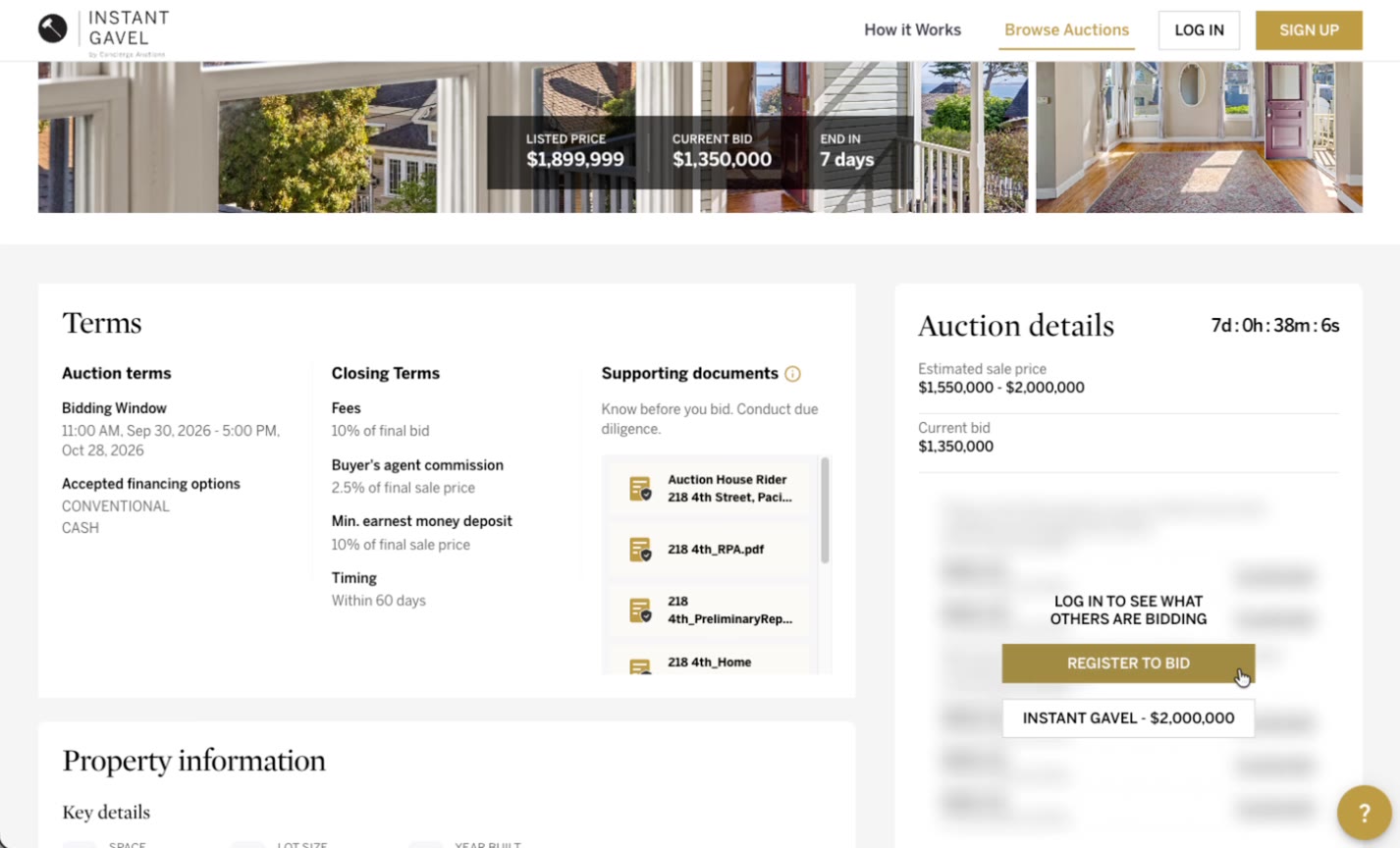
Select “Register to bid”
You’ll find the button in the bid panel on the right of the listing. If you aren’t signed in yet, we’ll ask you to log in or create an account first.
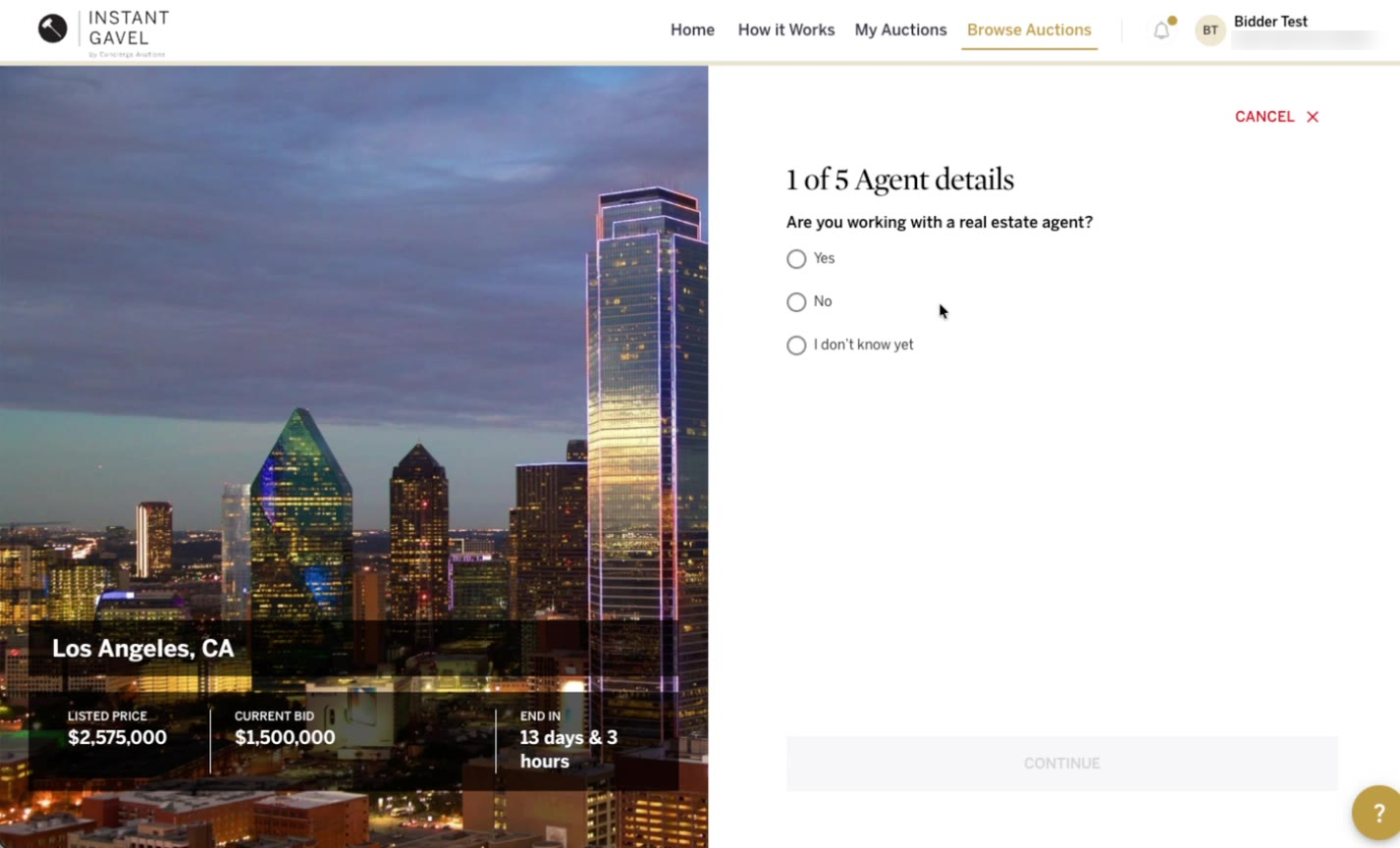
Add agent details
Answer whether you're working with a real estate agent: Yes, No, or I don't know yet.
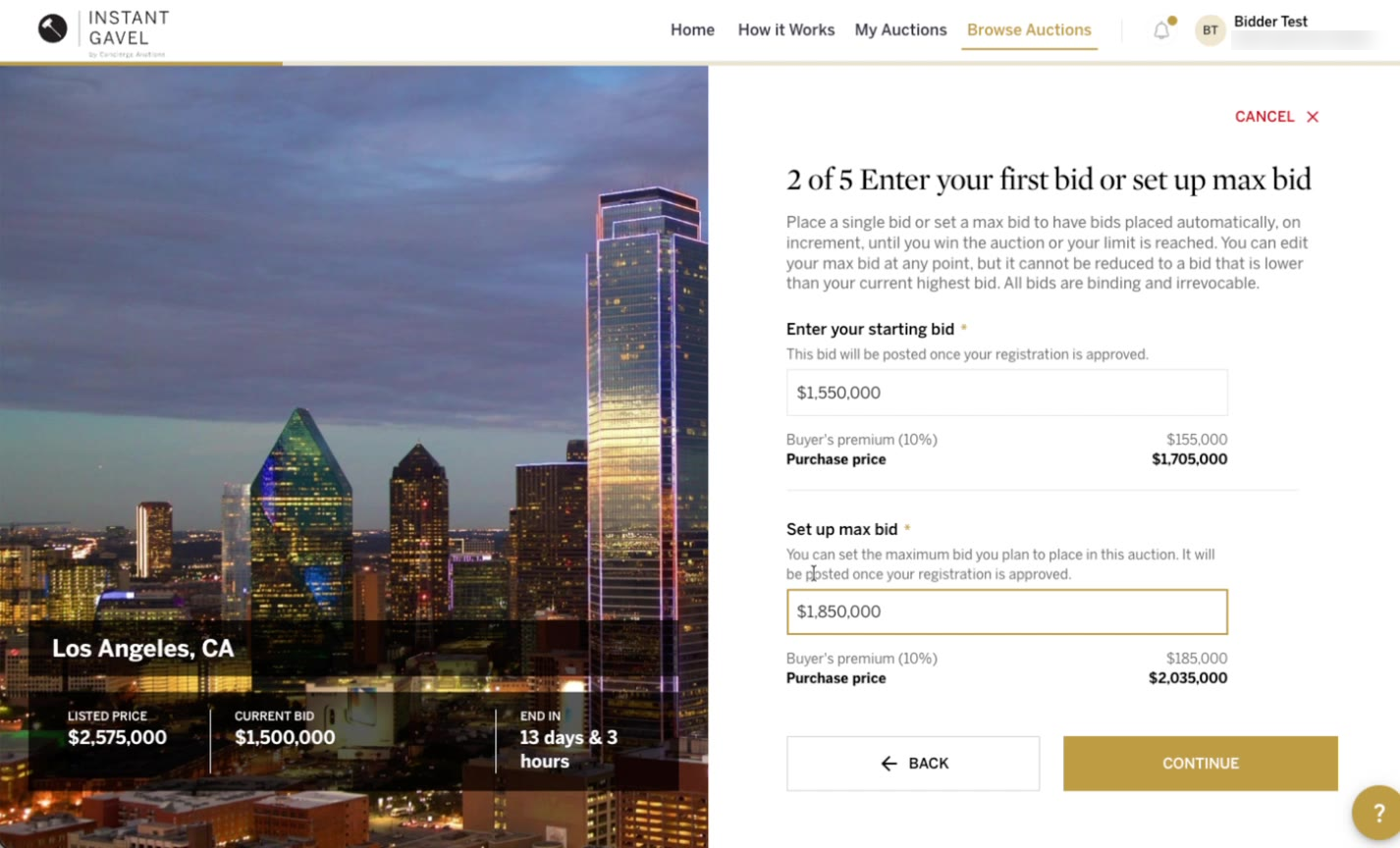
Enter your first bid or set up a max bid (optional)
Enter a optional starting bid and max bid. Max bids can be edited later but can't be reduced below your current highest bid.
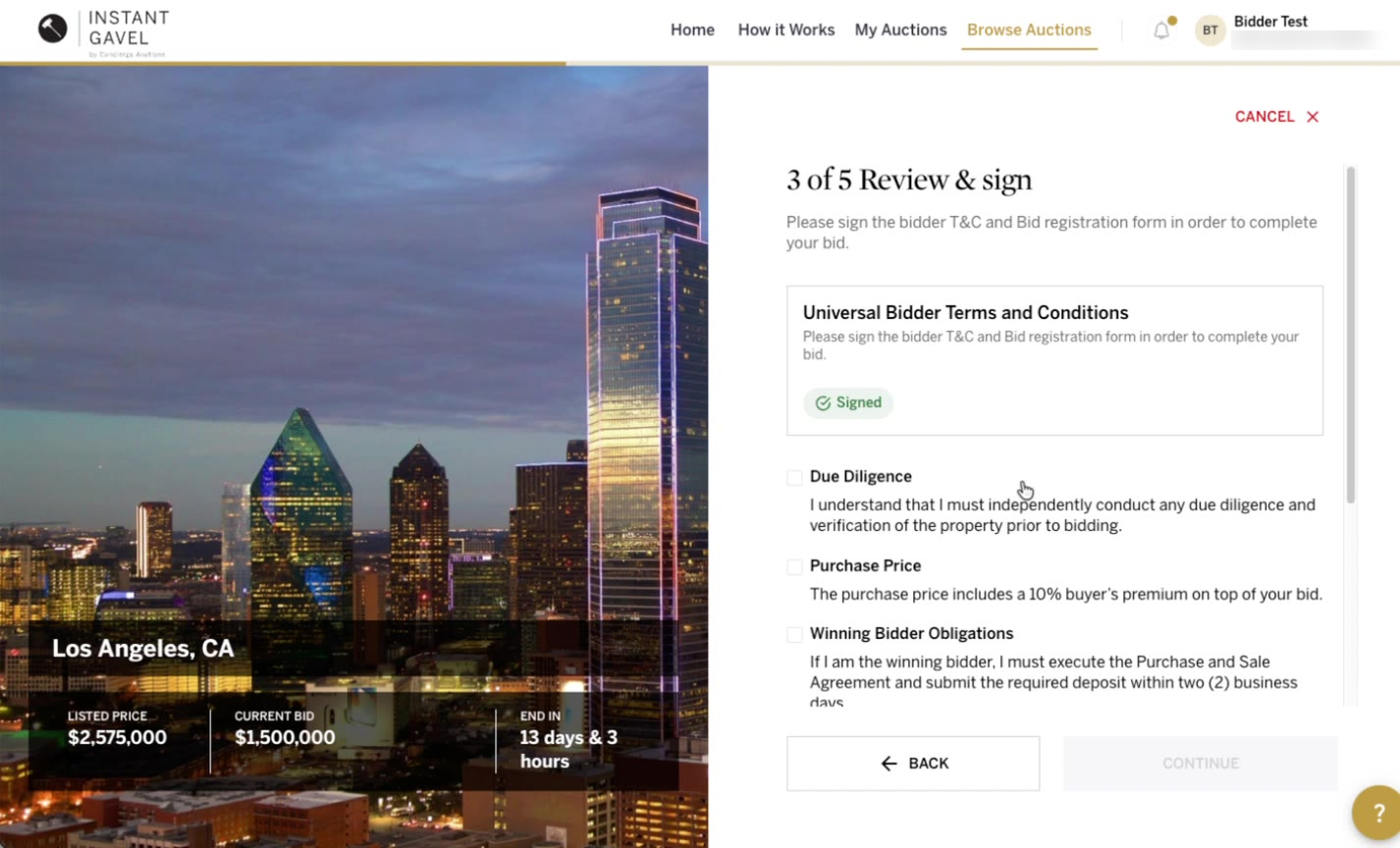
Review and sign bidder terms
Sign the Universal Bidder Terms and Conditions — it will show as Signed when complete. Check every acknowledgement (Due Diligence, Purchase Price, Winning Bidder Obligations, Reserves, Closing Timeline), then click Continue.
Upload proof of funds
Upload a bank letter, recent bank statement, brokerage/money market statement, or a pre-approval letter. Click Continue.
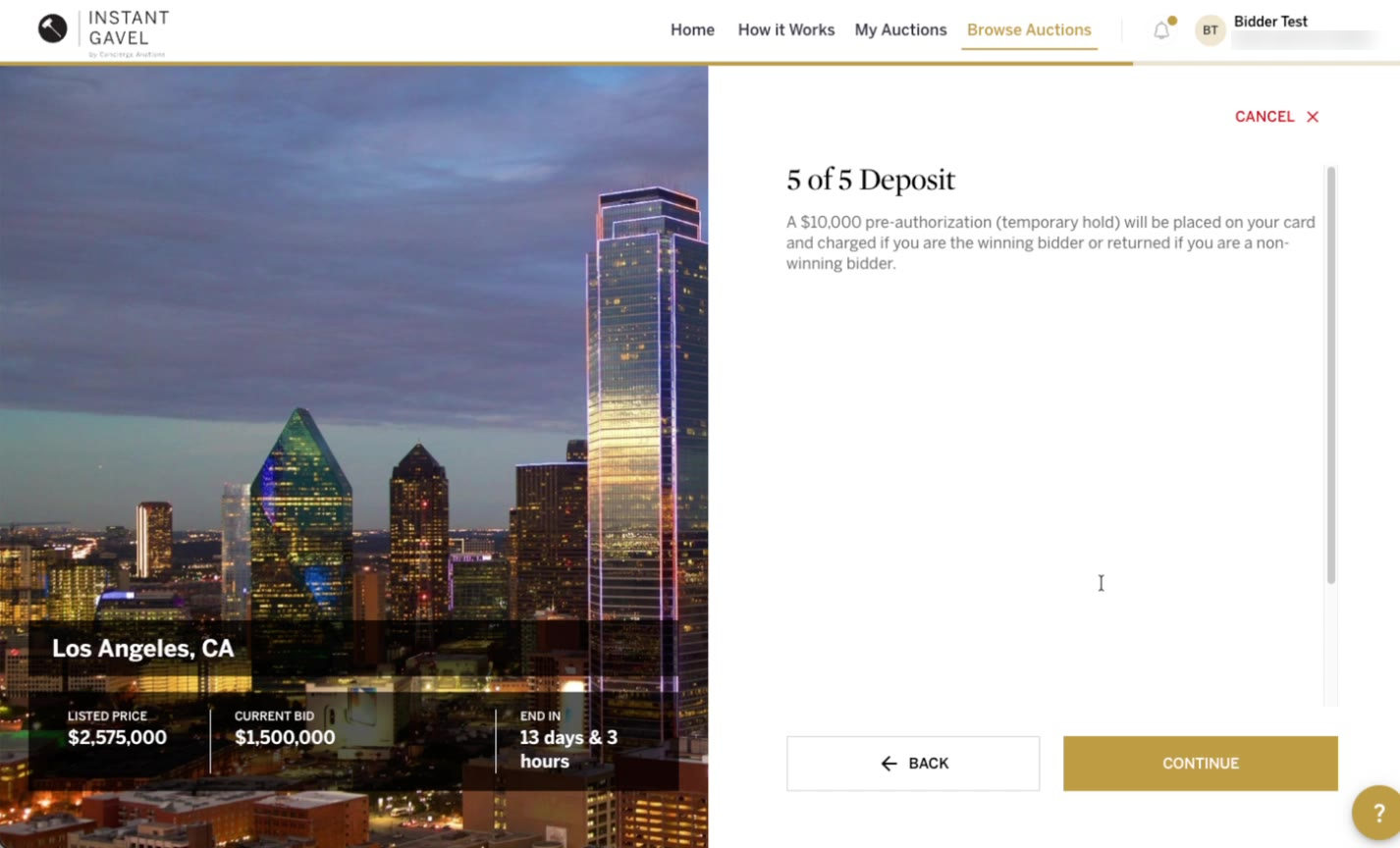
Submit credit card authorization hold
Review the $10,000 deposit pre-authorization. It's a temporary hold that's only charged if you're the winning bidder.
Success!
Registrations will be reviewed and confirmed as soon as possible within 24 hours. Updates are sent by email.


