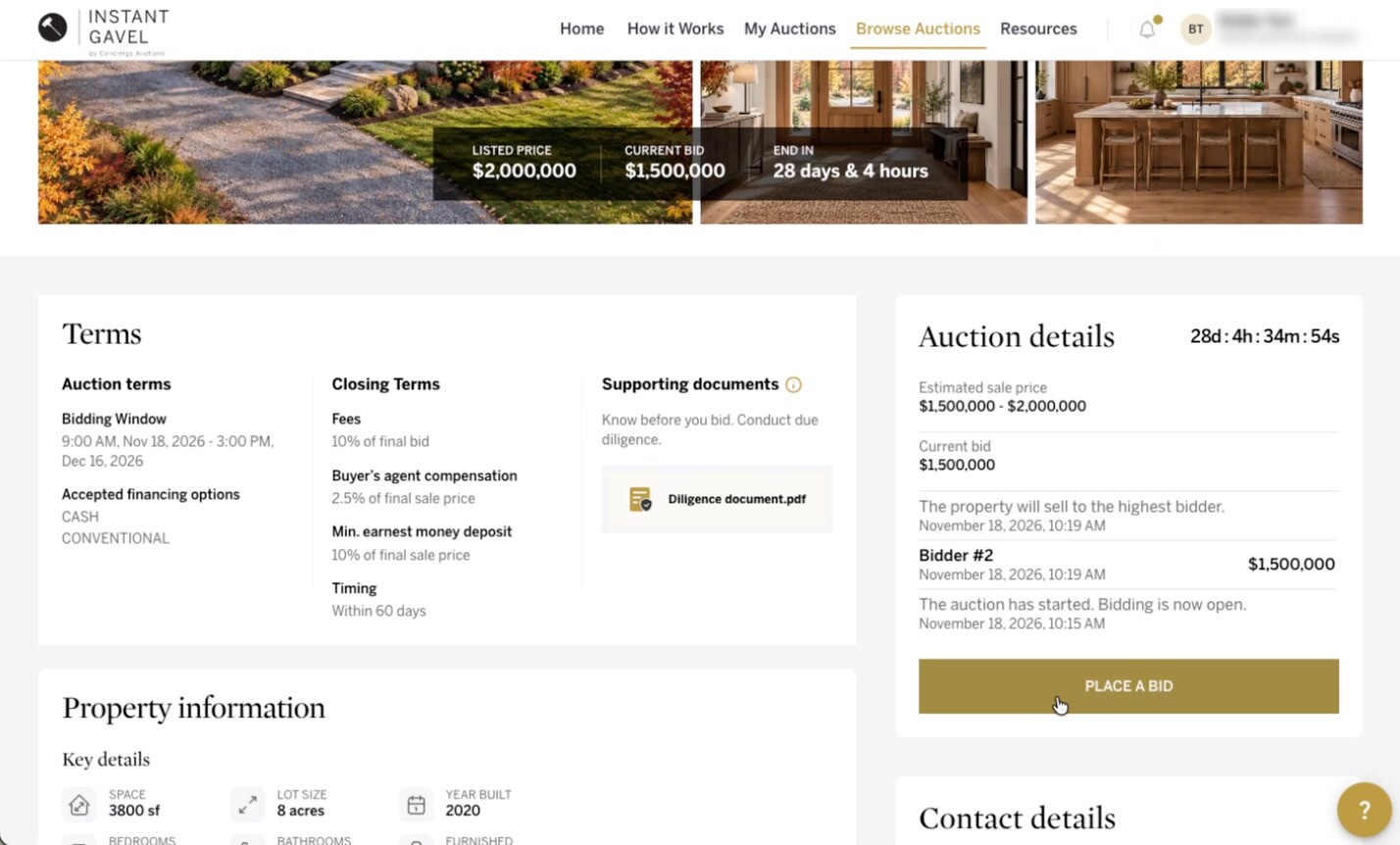
Once you’ve registered, click “Place A Bid”
On the property page, the Auction details panel is just below the gallery on the right side of the page. Click Place A Bid.
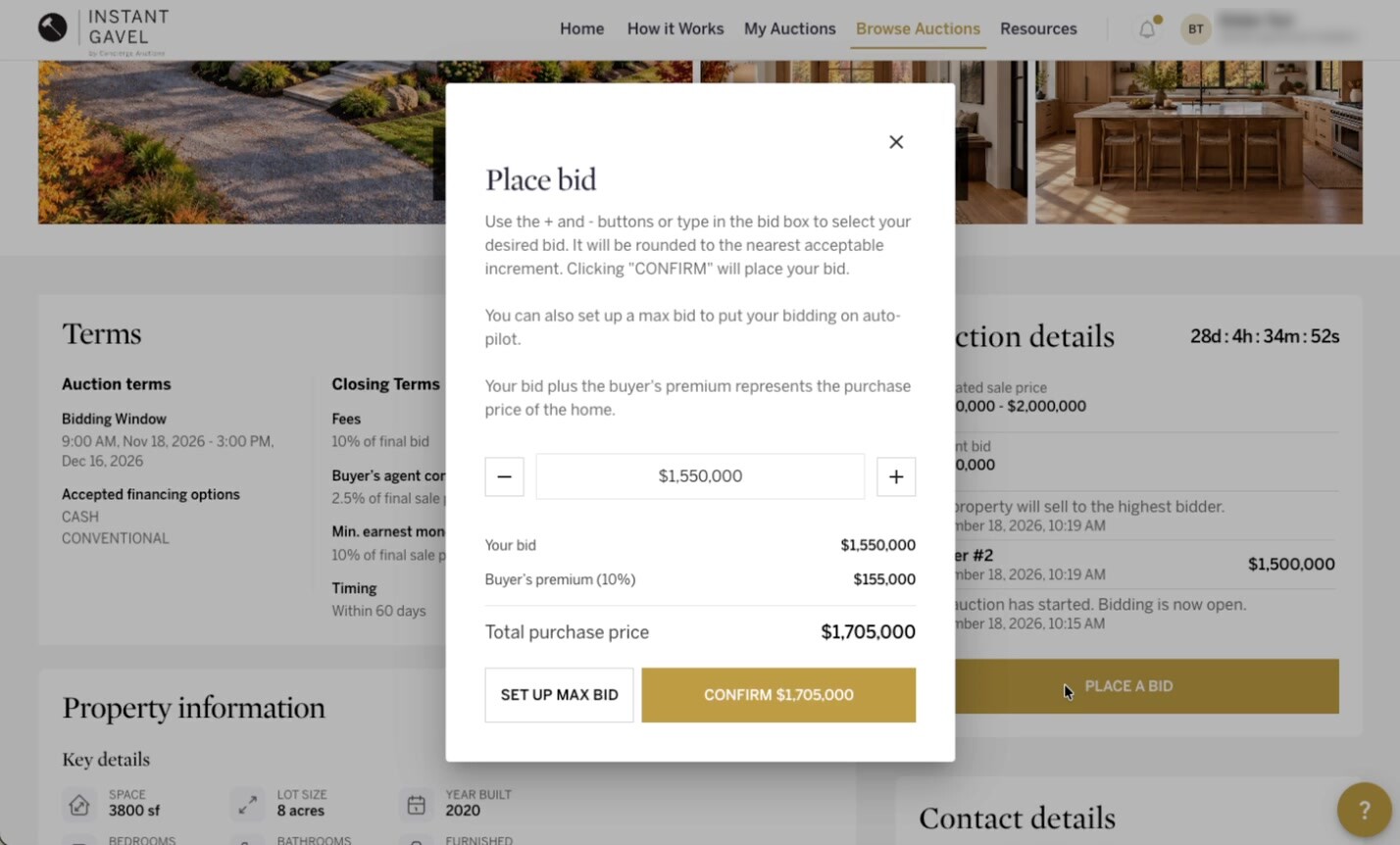
Choose your bid amount
Use the + and - buttons or type in the bid box to select your bid. It will be rounded to the nearest acceptable increment. The total purchase price is calculated automatically. Review your bid and click Confirm.
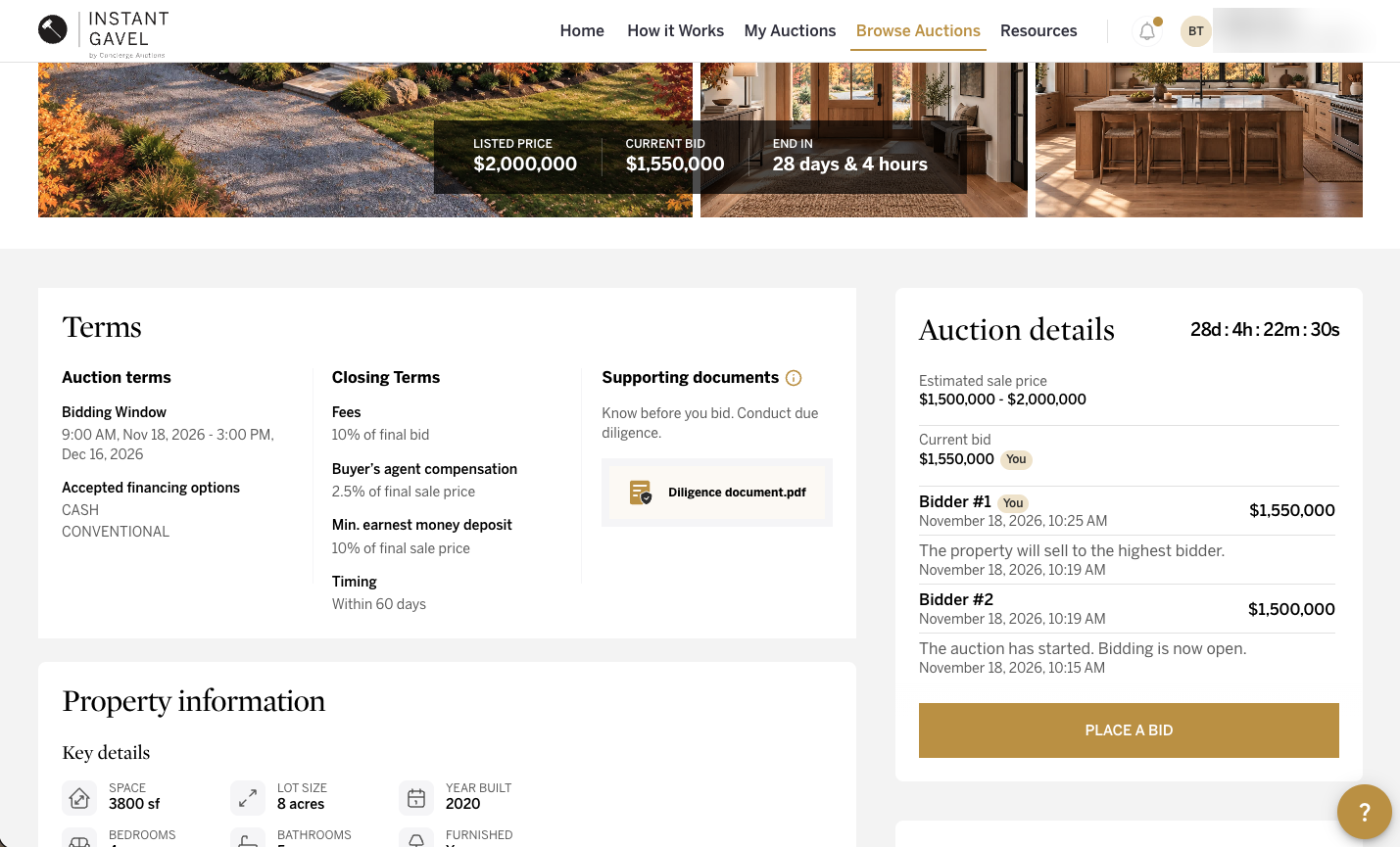
Bid placed!
Your bid appears as the Current bid in the bid history, marked with a “You” tag.
Set up a Max Bid to put your bidding on auto-pilot
A max bid is perfect if you won’t be available during the final minutes of the auction. Click Place A Bid, then click Set Up Max Bid.
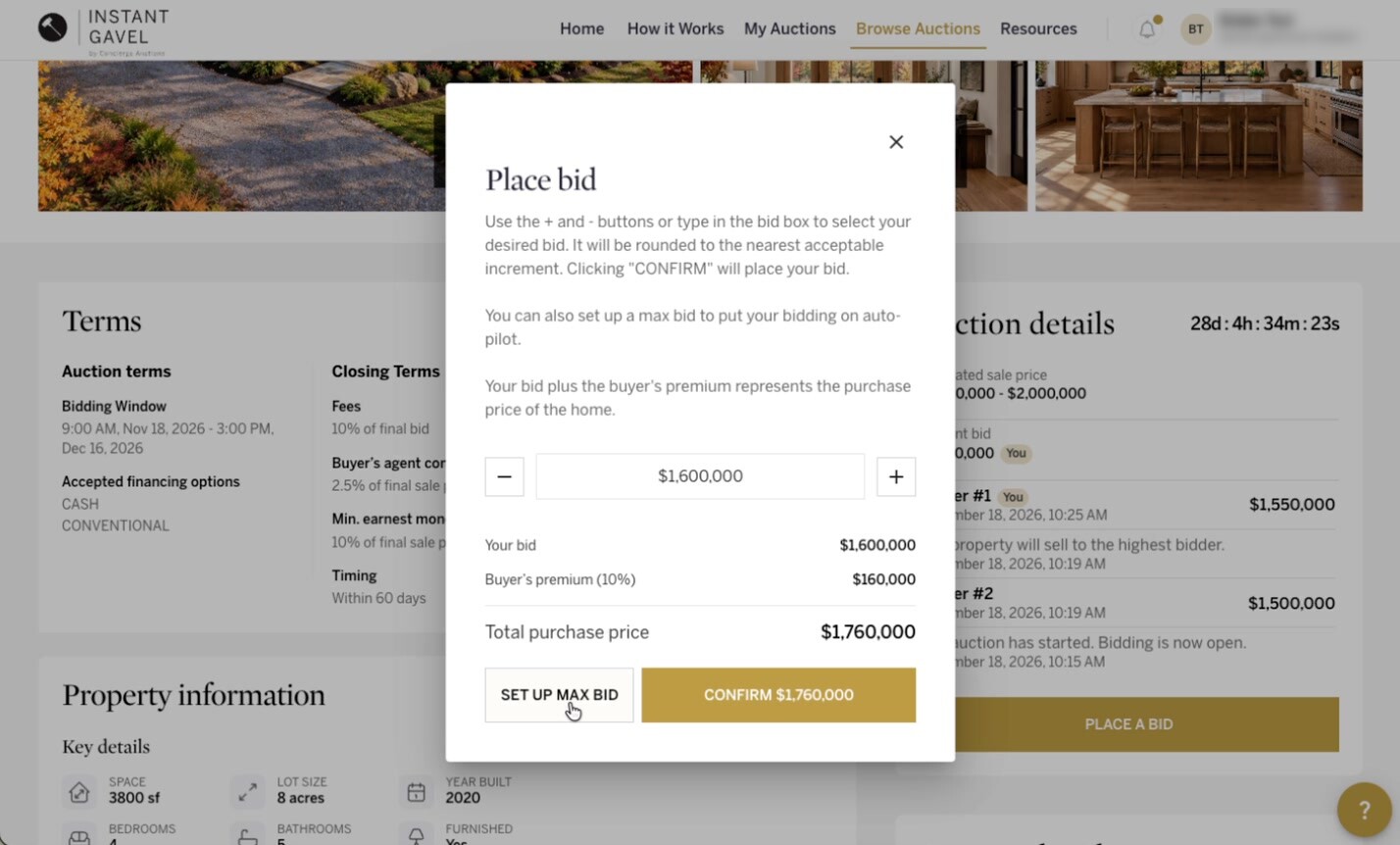
Select and confirm your max bid
A max bid is the highest amount you're willing to pay. The system automatically bids for you, in increments, whenever a competing bid is placed — up to, but never over, your max bid.
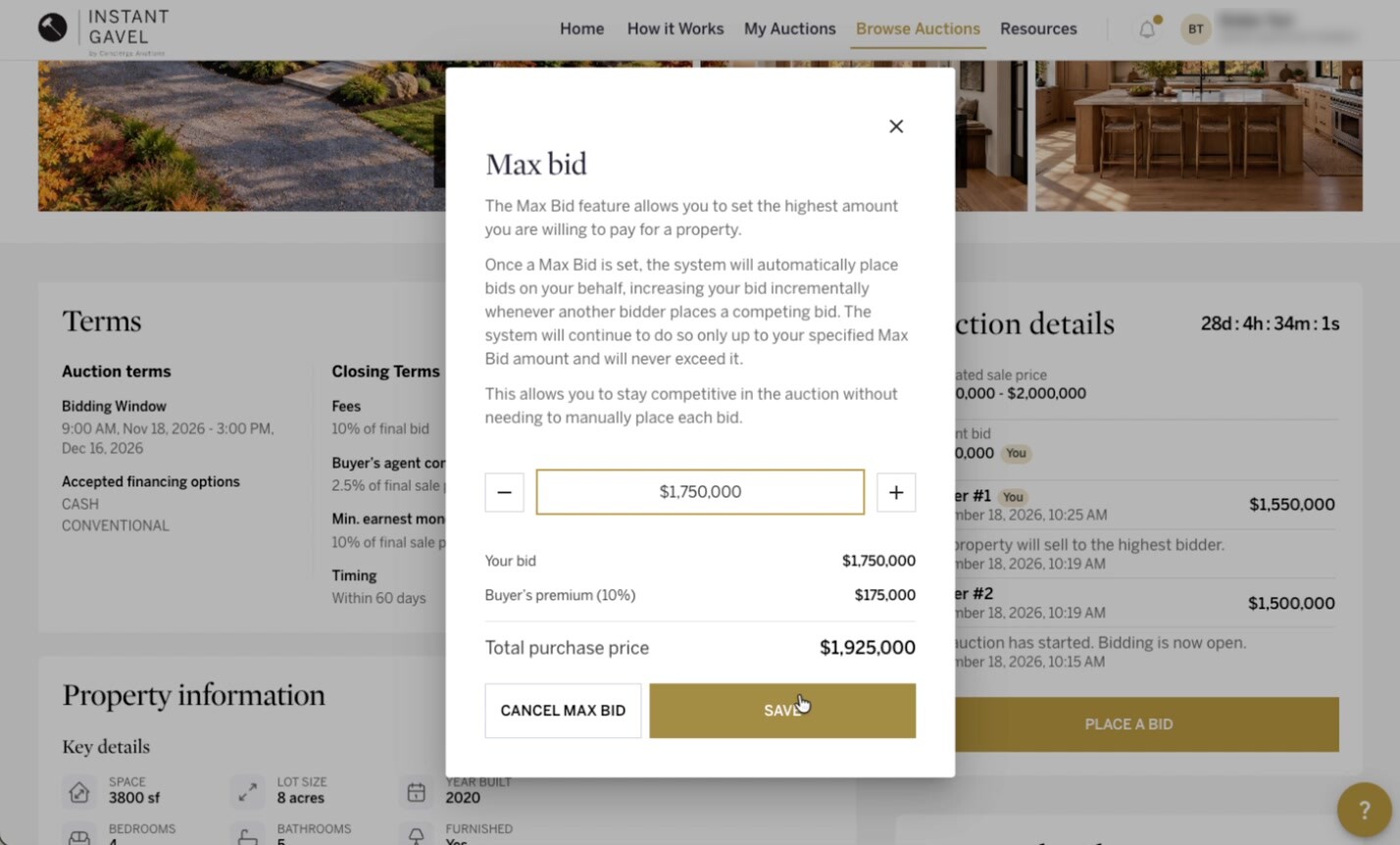
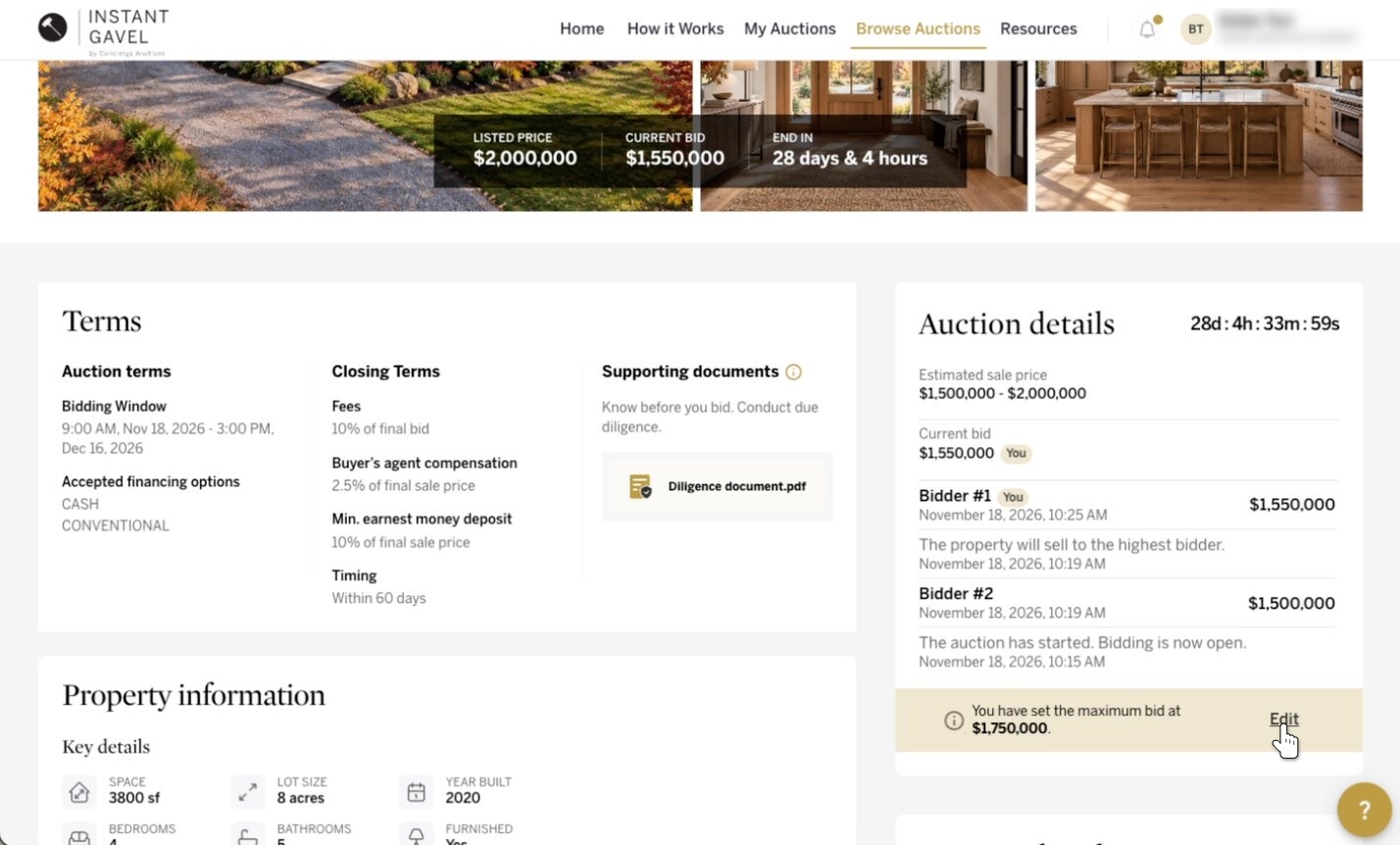
Edit or cancel a max bid
A banner in Auction details confirms "You have set the maximum bid at your amount." To edit your max bid, click Edit to reopen the max bid window. You can modify or cancel your max bid, but your highest bid placed to that point will remain.